



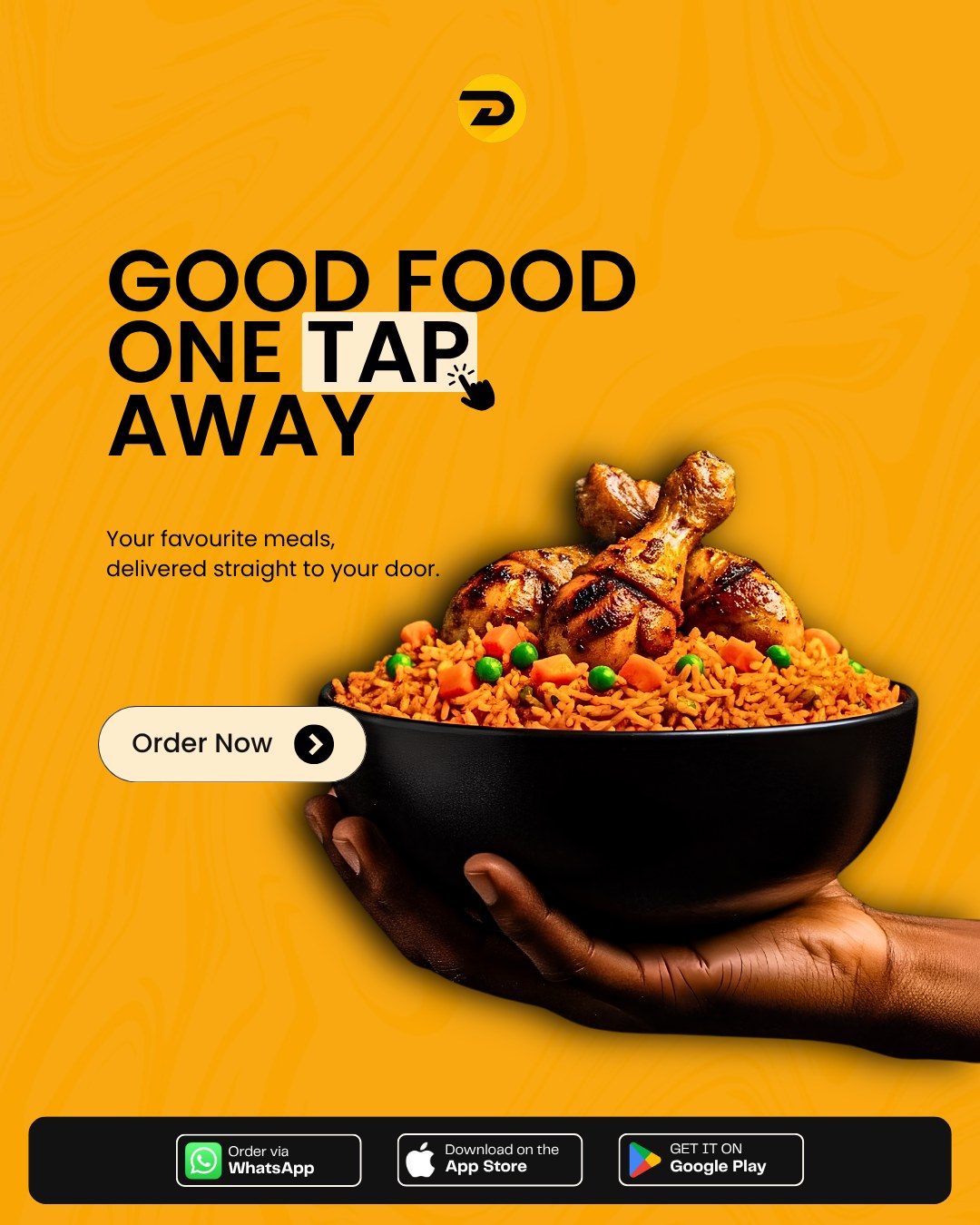






Good food, one tap away. That is today’s Canva board — a big black bowl of party jollof, peas and carrots, three grilled chicken thighs sitting on top, one hand holding it out to you, and a single button: Order Now. 🍗🍚
It is Monday in Uyo. The inbox is full, the shop has customers, the lecture ran late, and nobody packed lunch. You do not need to leave your desk to find food. Open WhatsApp or the iDeliver app, tap what you want, and let your Monday lunch come to you.
Order Monday Lunch on WhatsApp AI
Monday is busy. Lunch should be easy.
You know the Monday pattern. Morning meeting, a pile of messages from the weekend, one customer who “just wants to ask something,” and by 1pm your stomach is holding its own meeting. Walking out to look for a buka in the sun, waiting in a queue, then walking back — that is forty minutes of your Monday gone.
The Canva board says it simply: your favourite meals, delivered straight to your door. One tap from you, the restaurant cooks, a rider moves it, and you keep working until the food arrives.
What “good food” looks like on iDeliver today
Meals is one of the four everyday categories on iDeliver (together with Groceries, Gadgets and Anything). Depending on the restaurants and kitchens near you, a Monday lunch order can be:
- The Canva bowl itself — jollof rice with grilled or fried chicken, a little dodo on the side.
- Fried rice or white rice and stew — with beef, turkey or fish for the “I need strength” Monday.
- Soup and swallow — afang, edikang ikong or egusi with eba, fufu or pounded yam, the Akwa Ibom way.
- Light and quick — shawarma, small chops, spaghetti or a salad for the lunch you eat between two calls.
- Drinks — water, juice or a cold soft drink so nobody runs to the junction shop.
You see the meal prices and the delivery fee in the app before you confirm. No guessing, no surprise at the gate.
Order in the next hour: two ways, one tap each
1. WhatsApp — type it like you talk
Message our WhatsApp AI at wa.me/2349134448523, say hello, and tell it what you want: “Jollof and chicken for two, one bottle of water, deliver to my office on Nwaniba Road.” It helps you pick a restaurant, confirm your address and place the order.
2. The iDeliver app — browse, tap, track
Download the iDeliver user app, open Meals, choose a restaurant near you, fill your cart and check out. Pay from your wallet or choose cash where available, then follow your rider on the live map while you finish that email.
Tip: order around 12:30 so lunch lands before the 1pm hunger meeting starts. 😅
Who is ordering Monday lunch today?
- The office desk on Nwaniba or Aka Road: one order for you, or one group order for the whole team.
- The shop owner who cannot leave the counter: keep selling — let lunch come to the shop.
- UNIUYO lunch, Town Campus or Main Campus: between lectures, pool with friends and have one proper meal brought to the gate or hostel.
- Working from home in Ewet Housing or Shelter Afrique: stay on your calls and let the doorbell bring the jollof.
Drop a clear pin, eat it hot
The fastest lunch is the one the rider can find on the first try. Drop an accurate pin and add one landmark — the gate colour, the junction, the church or filling station nearby. Keep your phone close for the rider’s call and the OTP at handoff when it is required.
At eligible stores, iDeliver Prime gives you free delivery.
Not lunch? The other three are one tap away too
If Monday needs more than food, the same app covers Groceries for the kitchen restock, Gadgets for the charger you forgot at home, and Anything errands for that one item you need picked up across town. You can also book a local parcel for a document or package going across Uyo.
Monday starts better with good food
Good food is one tap away. Open WhatsApp or the iDeliver app now, order your Monday lunch in Uyo, and let the rider do the walking. 🧡
Get started with iDeliver
Download User App
Download Vendor App
Download Driver App



What do you think?
It is nice to know your opinion. Leave a comment.